 BookOwlLog In
Bring your whole reading life with you
Years of ratings, shelves, reviews, and reading dates should not be the reason you stay in an app you have outgrown. BookOwl imports all of it from Goodreads, StoryGraph, Audible, or Libby in about ten minutes, and exports all of it back out whenever you ask.
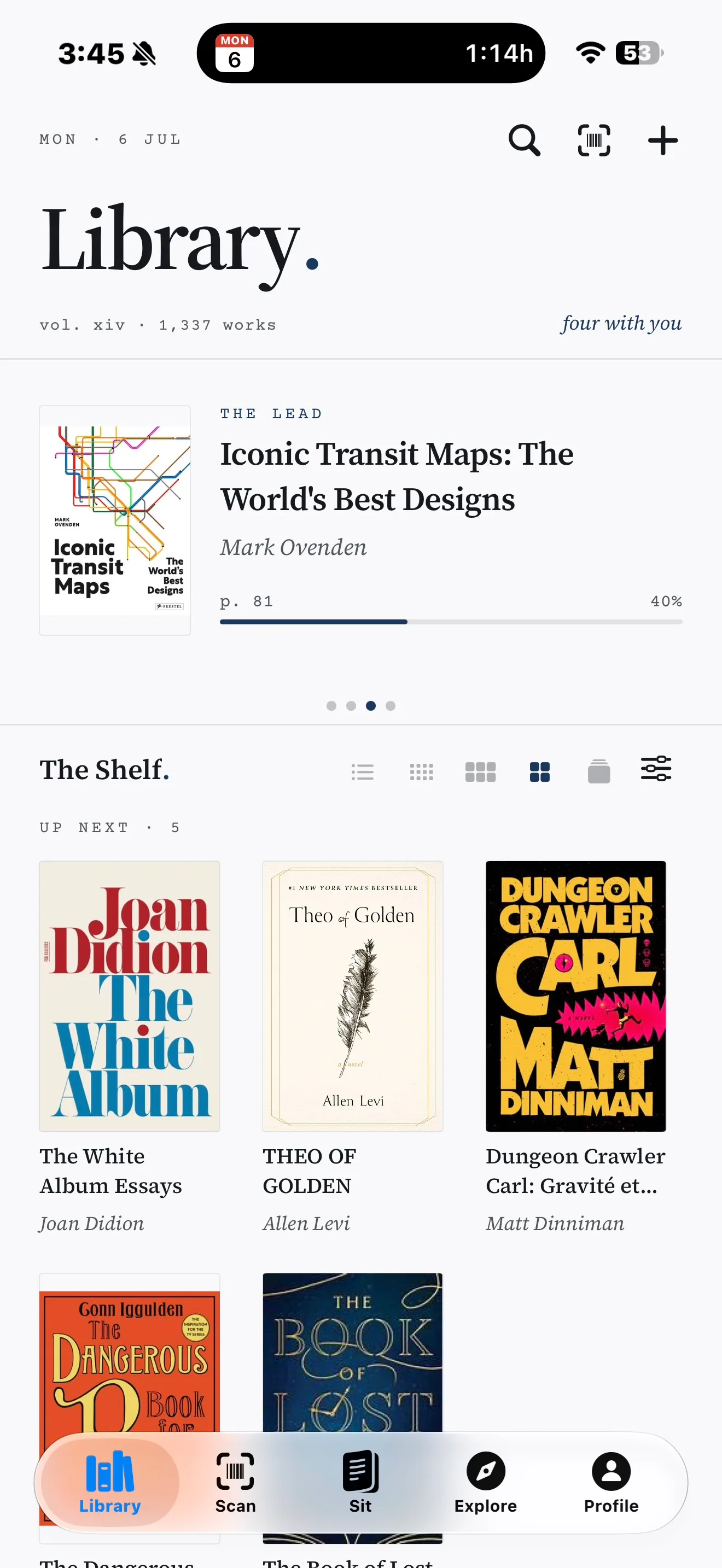
The web import works from any browser. The iPhone app adds the barcode scanner and reading sessions.
Three steps, about ten minutes
Tape up, carry over, unpack.
Export from your current app
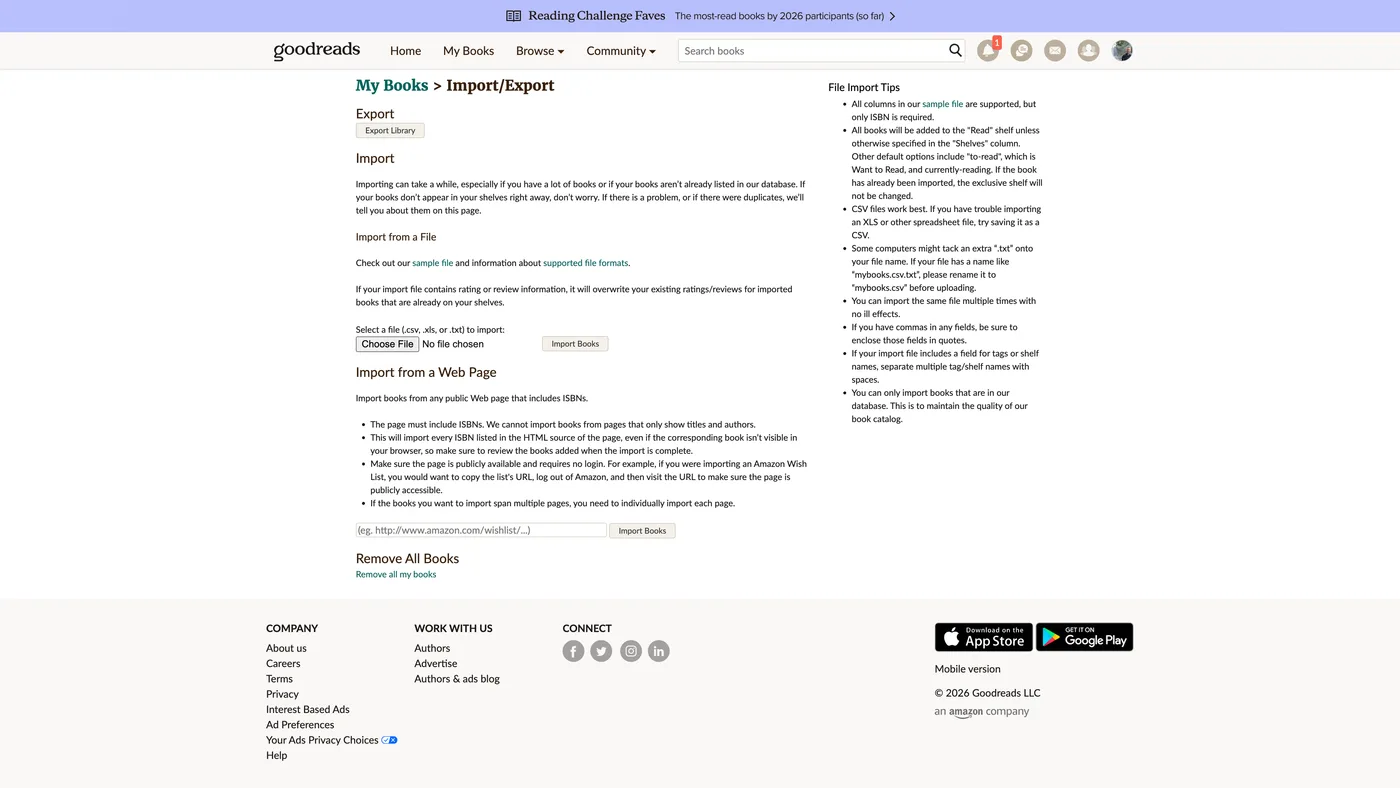
On the Goodreads website, go to My Books, then Import and Export, then Export Library. You get one CSV file with your entire history. StoryGraph exports work the same way, and Audible imports use your camera instead of a file.
Import into BookOwl
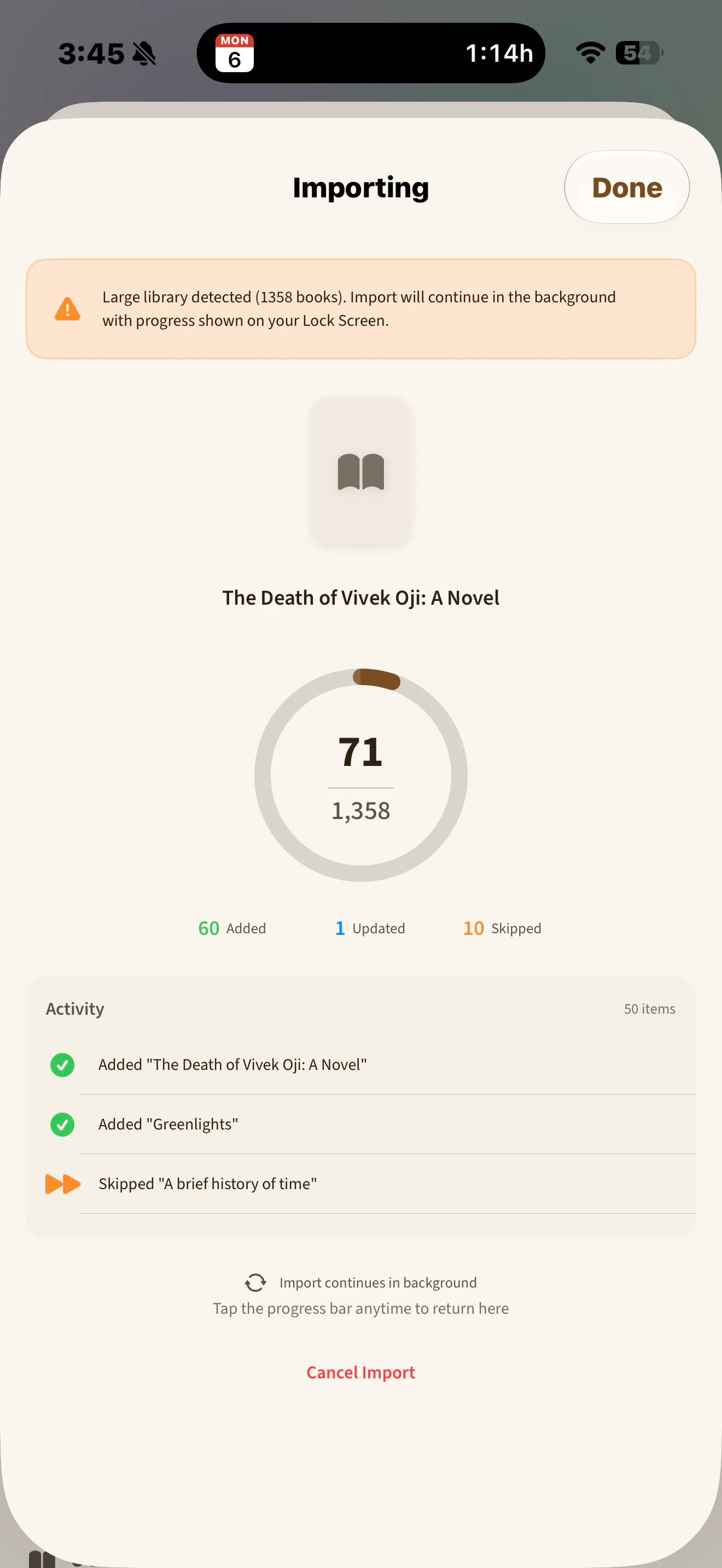
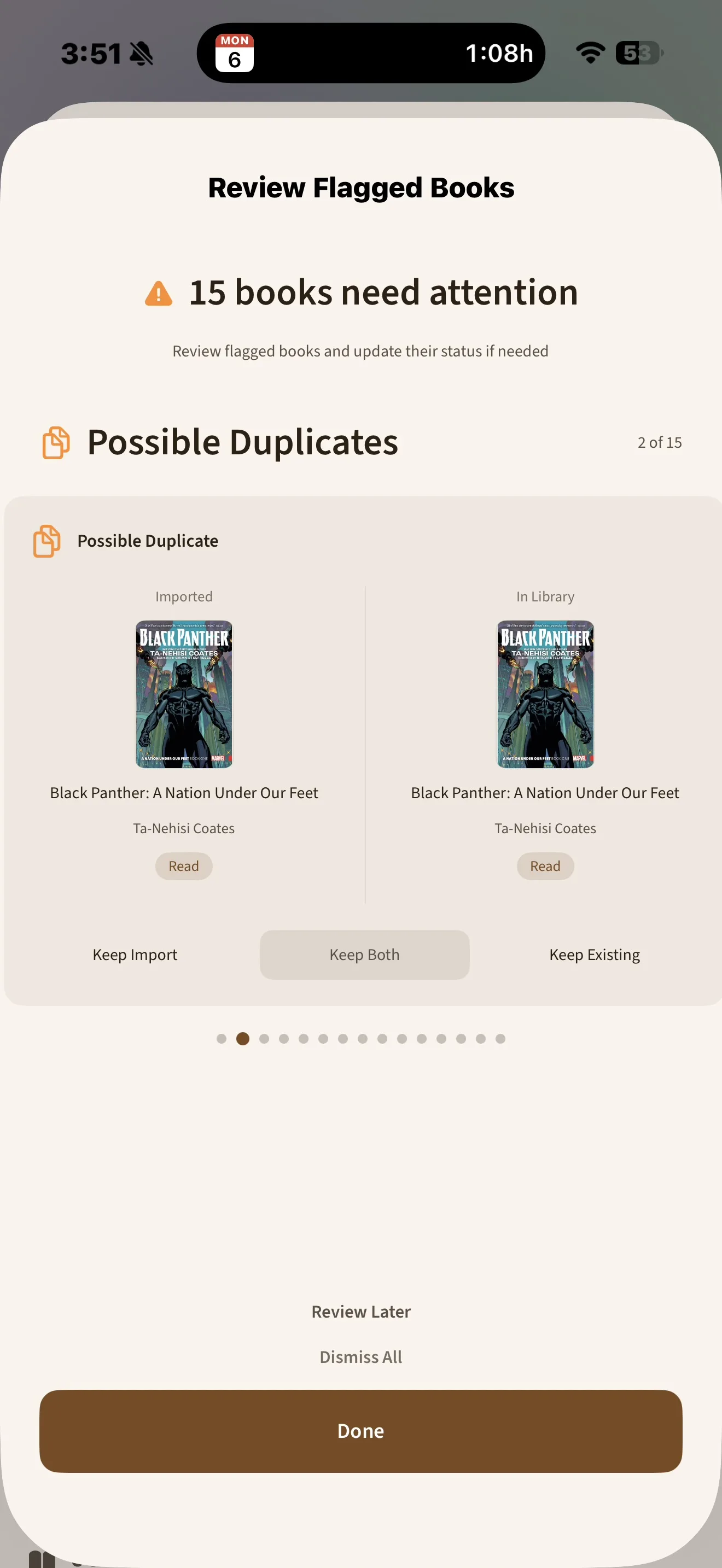
Open BookOwl on your iPhone or at bookowlapp.com, choose Import, and pick your file. Books match by ISBN with a title and author fallback, and the import keeps working in the background, so you can leave the app. A duplicate review screen lets you decide what merges. Nothing merges silently.
Everything lands where you expect
Exclusive shelves become reading statuses, custom shelves stay custom shelves, and your reviews and private notes attach to their books. Private notes stay readable by your account only.
What transfers, exactly
This list matches what the importer does today, not what we hope it does someday.
Comes with you
- Books, ratings, and reading statuses
- Dates read, dates added, and read counts for re-reads
- Custom shelves, with their books
- Written reviews and private notes
Does not transfer yet
- The Goodreads Owned tag. BookOwl reads it but has no owned flag yet. It is on the roadmap.
- Friends and followers. No app can export your Goodreads social graph.
- Likes and comments on reviews. Those live in Goodreads and stay there.
For writers and reviewers
BookOwl is a reading tracker for iPhone and the web, built for readers who want to move their history without getting locked in again. It supports free import from Goodreads and StoryGraph CSVs, camera-assisted Audible and Libby import, barcode scanning on iPhone, timed reading sessions, and full CSV or JSON export anytime.
- iPhone and web reading tracker with cross-device sync.
- Free Goodreads and StoryGraph CSV import.
- Camera-assisted Audible and Libby import.
- Barcode scanning on iPhone.
- Timed reading sessions with mood and note capture.
- Full CSV or JSON export anytime.
For questions, screenshots, or a quick product walkthrough, email Phil at hello@bookowlapp.com.
The guides
And you can always leave
Settings, then Data, then Export Library gives you your complete history as CSV or JSON, free, on day one or year ten. If BookOwl stops earning its place on your home screen, your books walk out with you.